 Filtik
58001a4087
Filtik
58001a4087
|
||
|---|---|---|
| .gitea/workflows | ||
| Configuration | ||
| Controllers | ||
| Core | ||
| Localization | ||
| Pages | ||
| Services | ||
| images | ||
| .gitignore | ||
| AutoBackup.csproj | ||
| AutoBackup.slnx | ||
| LICENSE | ||
| README.md | ||
| build.yaml | ||
| manifest.json | ||
README.md


Auto Backup
A Jellyfin plugin that automatically creates scheduled backups of your Jellyfin data at the times you define.
Features
- Multiple schedules — create as many independent backup schedules as you need
- Flexible recurrence — daily, weekly, every N hours/weeks, or monthly (fixed day or weekday)
- Backup content selection — choose what to include: Database, Metadata, Subtitles, Trickplay
- Retention rules — keep the last N backups per backup type combination, older ones are deleted automatically
- Local server time — schedule times are interpreted in the server's local timezone
- Multilingual UI — configuration page in English and German
- Sidebar integration — accessible directly from the Jellyfin sidebar under Plugins
Requirements
| Plugin version | Jellyfin version | .NET |
|---|---|---|
Built for net9.0 |
10.11.x | .NET 9 |
Built for net10.0 |
12.0.x | .NET 10 |
Installation
Via Plugin Repository (recommended)
- Open Jellyfin Dashboard → Plugins → Repositories
- Add the following URL as a new repository:
https://raw.githubusercontent.com/Filtik/Jellyfin-AutoBackup/main/manifest.json - Go to Dashboard → Plugins → Catalog and search for Auto Backup
- Install and restart Jellyfin
Manual
- Download the ZIP for your Jellyfin version from the Releases page:
Jellyfin-AutoBackup-*-10.11.x.zipfor Jellyfin 10.11.xJellyfin-AutoBackup-*-12.0.x.zipfor Jellyfin 12.0.x
- Extract the
Jellyfin.Plugin.AutoBackup.dllfrom the ZIP - Place the DLL in your Jellyfin plugins folder (e.g.
/config/plugins/AutoBackup/) - Restart Jellyfin
Screenshots
| Schedules | Retention | Backups |
|---|---|---|
 |
 |
 |
Configuration
After installation, open Auto Backup from the Jellyfin sidebar or via Dashboard → Plugins.
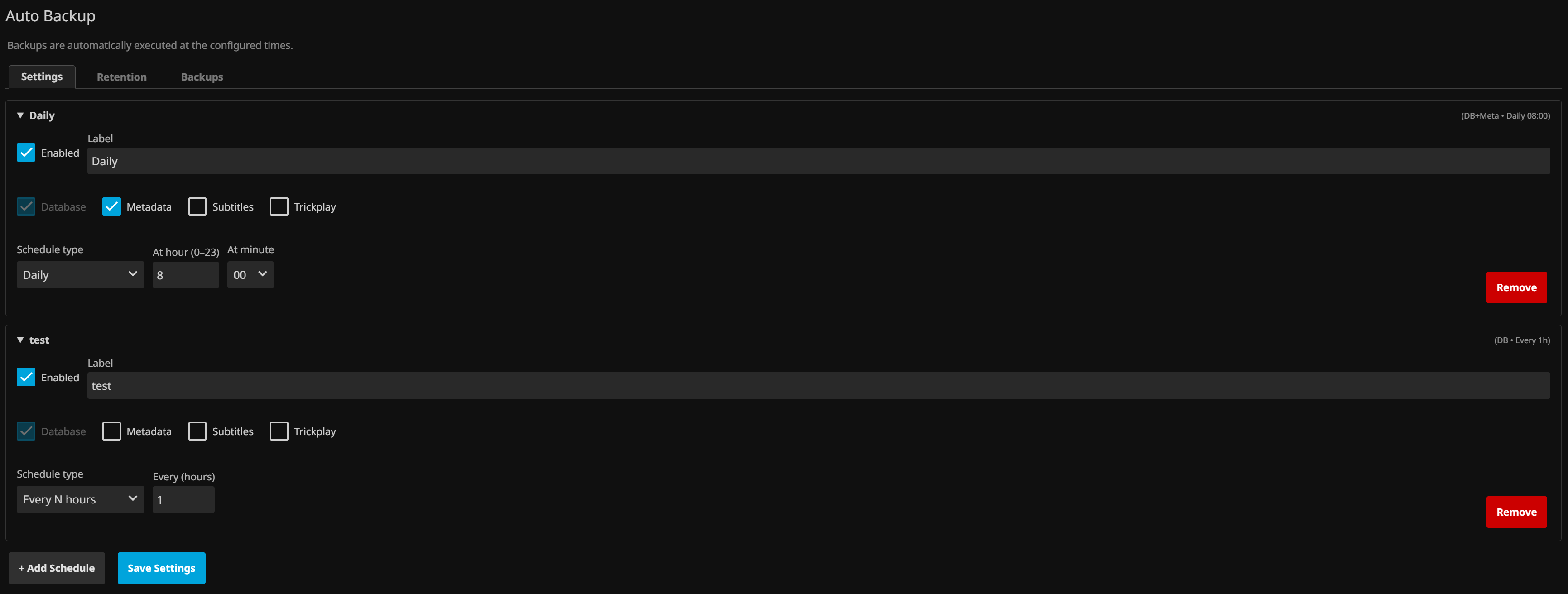
Schedules tab
Each schedule has:
- Label — a name for the schedule
- Enabled toggle
- Backup content — Database (always included), Metadata, Subtitles, Trickplay
- Schedule type — Every N hours / Daily / Weekly / Every N weeks / Monthly (fixed day) / Monthly (weekday)
- Time — hour and minute (in 15-minute steps) at which the backup runs
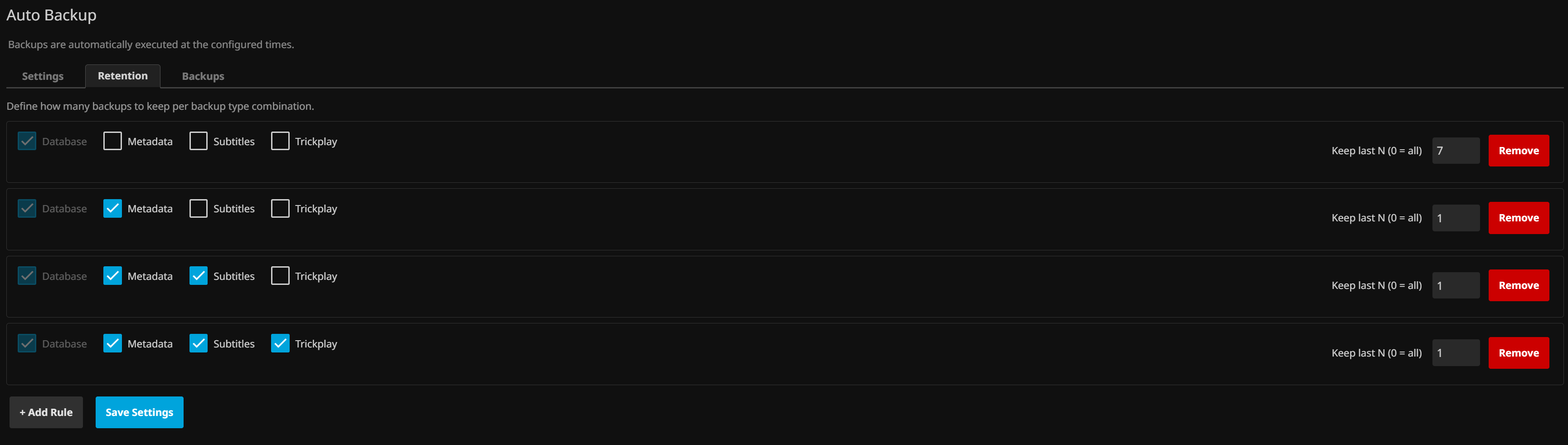
Retention tab
Define how many backups to keep per backup content combination. When a backup run finishes, older matching backups are deleted automatically. Leave a combination without a rule to keep all backups of that type.
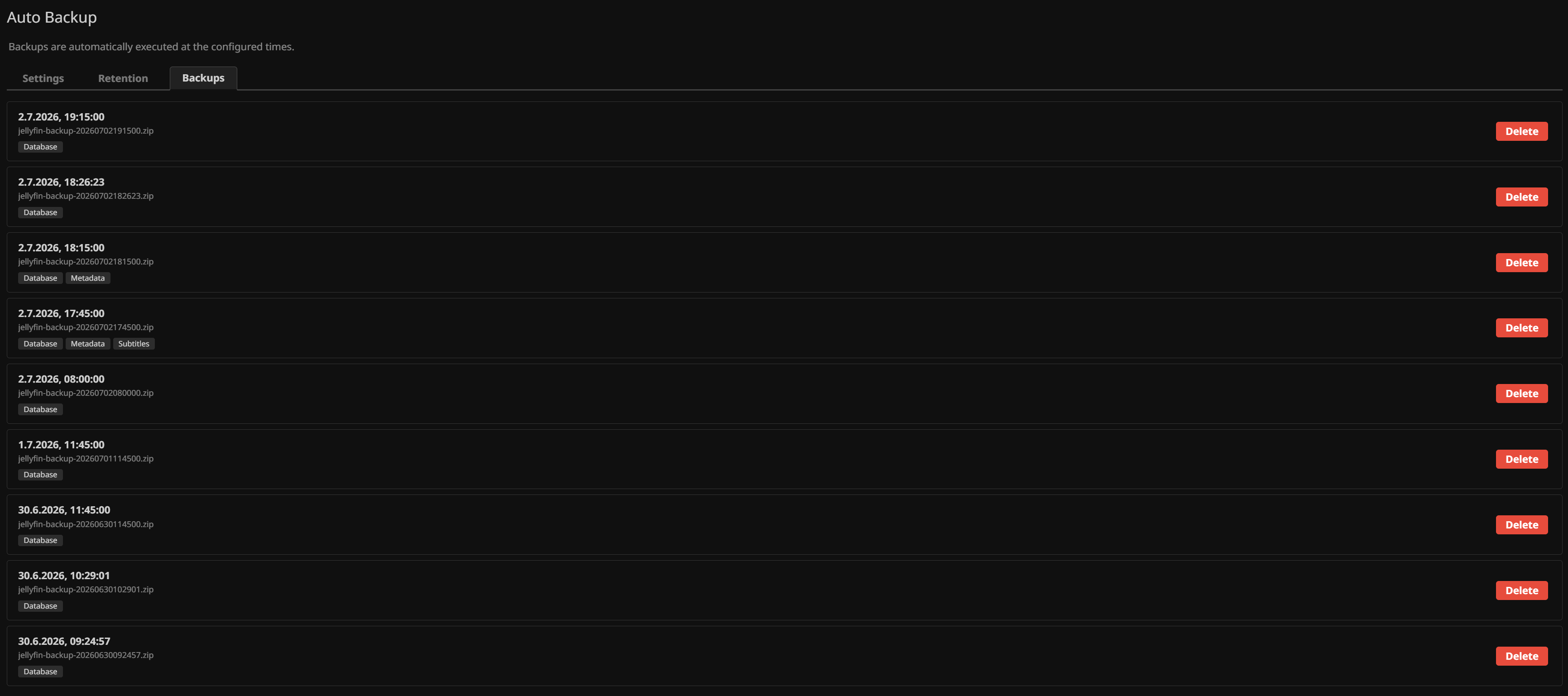
Backups tab
Lists all existing backups with their creation date, filename, and content badges. Backups can be deleted directly from this tab.
License
This project is licensed under the GNU General Public License v3.0.